
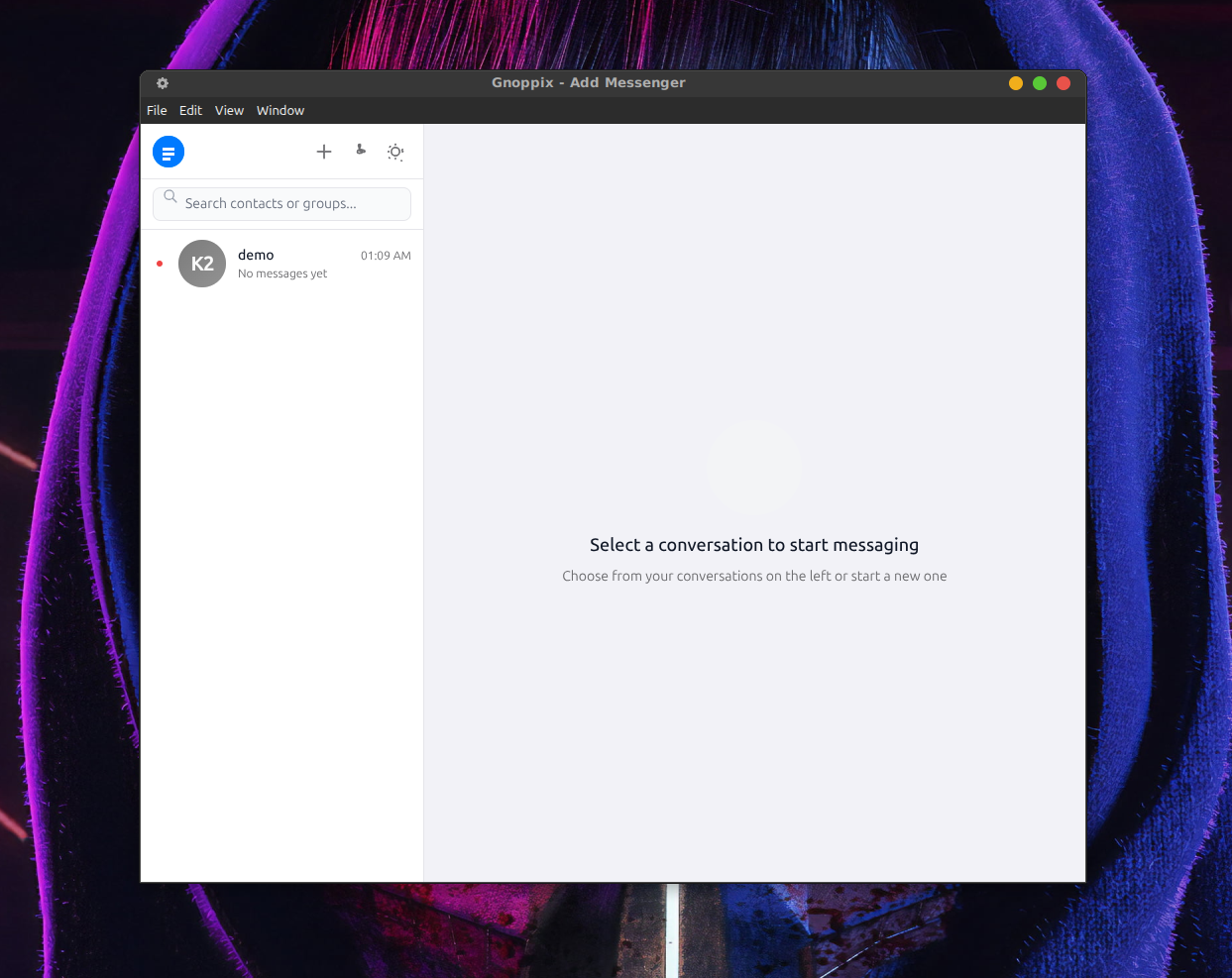
Official Gnoppix Messenger
“First of all, I cannot stress this enough: your password is critical. Beyond everything else, your password, modern encryption available, but if your password is ‘1234’, the encryption will be cracked in less than a second.
The right to privacy is anchored worldwide. Article 12 of the United Nations (UN) Universal Declaration of Human Rights states: (Note: The Universal Declaration of Human Rights was adopted in 1948).
“No one may be subjected to arbitrary interference with their private life, their family, their home or their correspondence, nor to any impairment of their honor and reputation.”
Why a new messenger? I think it is time to create something to counteract the surveillance state. It’s not just the EU with its latest surveillance techniques that compromise the fundamental right to freedom of expression and privacy for every individual. There were a few decent workarounds, such as encrypting messages via a wrapper and sending them through normal services like WhatsApp. However, I don’t think that’s a good long-term solution. On the other hand, I am not the one who has to worry about product liability.
Surely all of this is intended to scare people into accepting that all chats should be read—practically total surveillance of everyone. Faced with this, I thought about how to fight back. On one hand, as mentioned above, we have a fundamental right to privacy. On the other hand, governments place us all under general suspicion of being criminals or terrorists. I couldn’t stand by and accept this any longer, so I made this app.
Threema and Signal are excellent apps that address this problem, but they have multiple weaknesses. Centralized systems can be compromised or shut down, and they require a massive infrastructure to rent and maintain, not to mention a large workforce. All of this costs a lot of money—Signal burns through $6 million a year just to keep running! Above all, running a centralized application like that means stepping into a hornet’s nest.
I understand that in the past Signal required a mobile number because, in its early days, Signal was an SMS replacement. They argued that it prevents bots from cheaply sending spam and makes it easy to find friends who already use the app. However, this instantly opens up 100 other questions for me. This is not intended as criticism. Having developed a messenger app myself, I know firsthand how difficult it is to implement architectural changes later on—especially when you have to support paying customers.
So, what’s the alternative? Why not go decentralized? Everyone who uses the app becomes a part of the network, and best of all, it’s free. Why did I build something like this? Mainly for fun and because I can.
Add FAQ
Section titled “Add FAQ”Common questions about Add — encryption, how your data is stored, the protocols in use, and the real-world strength of the privacy guarantees.
Questions are grouped into categories. If you can’t find what you need, the README.md, DEVELOPER.md and WORKLIST.md cover the rest.
Security in 10 seconds (TL;DR)
Section titled “Security in 10 seconds (TL;DR)”- Every message is end-to-end encrypted, 100% — there is no plaintext or unencrypted fallback. Content is locked with AES-256-GCM and key-wrapped with ML-KEM-1024 (NIST post-quantum Level 5), signed with ML-DSA-87.
- Nobody but you and the recipient can read it — not the relay, not the bootstrap servers, not your ISP, not any government. A court order only ever yields ciphertext that cannot be opened. There is no master key, escrow, or backdoor.
- Quantum-proof — even traffic recorded today stays unreadable against future quantum computers (“harvest-now-decrypt-later” defeated).
- Forward secrecy — each message has its own key; stealing a device later does not unlock past chats.
- Decentralized — servers only store ciphertext; there is no company in the middle to pressure.
- Your keys are sealed with a passphrase (age / scrypt / XChaCha20). Lose the passphrase and you are locked out too — but it hands no one the ability to read your messages.
- The only real risk is the endpoint: a compromised/unlocked device, a weak passphrase, or someone watching you type. The math is the strongest publicly standardized suite in existence.
1. Getting Started & Identity
Section titled “1. Getting Started & Identity”What is a Null ID and is it private?
Section titled “What is a Null ID and is it private?”Your Null ID (like NN-XXXX-XXXX) is a short code derived from your public key.
It’s safe to share — it doesn’t reveal your identity, but it lets people find and
message you. Think of it like a phone number that only you can answer.
What happens if I lose my identity?
Section titled “What happens if I lose my identity?”Run add export to save your public key. Share it with contacts so they can still
verify your identity. Your private key stays on your device — if you lose the
device, you need to generate a new identity and have contacts verify the new one.
How do I know someone isn’t impersonating my contact?
Section titled “How do I know someone isn’t impersonating my contact?”Add shows a safety number — a deterministic code derived from both parties’ fingerprints. Compare it out-of-band (in person, voice call, PGP-signed email). If the numbers match, no one is intercepting your communication.
Do I need to trust any server?
Section titled “Do I need to trust any server?”No. The bootstrap seed server only helps you find your friend’s address — it never sees your messages. The relay (if used) stores encrypted blobs it cannot read. All encryption and decryption happens on your device.
2. Encryption & Cryptography
Section titled “2. Encryption & Cryptography”What encryption algorithms does Add use?
Section titled “What encryption algorithms does Add use?”Add is fully post-quantum end-to-end encrypted. Every message is protected by a layered scheme:
- ML-KEM-1024 (the NIST-standardized Kyber-1024) — post-quantum key encapsulation used for the Double Ratchet initial handshake and for per-pair presence encryption.
- ML-DSA-87 — post-quantum digital signatures used to authenticate identities and sign transport/DHT envelopes so a server can’t forge or tamper with them.
- AES-256-GCM — the symmetric cipher that actually encrypts message content and sealed presence blobs (authenticated, so tampering is detected).
- Double Ratchet — the continuous key-derivation protocol that gives each message a fresh key, so compromising one message’s key doesn’t expose past or future messages.
The non-PQ primitive GPG is still used for some legacy key-at-rest handling, but message content is always PQ-encrypted.
Is every message really end-to-end encrypted? What’s the chance a message is sent in plaintext?
Section titled “Is every message really end-to-end encrypted? What’s the chance a message is sent in plaintext?”100%. Every message is encrypted on your device before it leaves — there is no plaintext or “opportunistic” unencrypted fallback for 1-to-1 messaging. A message is only transmitted (whether over direct P2P or via a relay) as ciphertext that only the recipient’s device can open. The relay and the bootstrap servers only ever handle opaque blobs they cannot decrypt.
How strong is the encryption? What are the chances it gets broken?
Section titled “How strong is the encryption? What are the chances it gets broken?”For all practical purposes, zero — and here is the concrete reasoning, not marketing.
The numbers (this is why it’s unbreakable in practice):
- Your message content is locked with AES-256-GCM. A 256-bit key has
2^256possible values. To picture that: if every atom on Earth (~10^50) were a computer testing a trillion keys per second, it would still take longer than the age of the universe many times over to try them all. Even a “lucky guess” succeeds with probability1 in 2^256— effectively impossible. - The key that unlocks AES is itself wrapped by ML-KEM-1024, a NIST Level 5 (the highest tier) post-quantum algorithm. Breaking it is not a matter of “more computing power” — no known mathematical shortcut exists, classical or quantum.
Why quantum computers don’t help an attacker here:
- Today’s widely used encryption (RSA, ECDH/X25519 — what Signal and most apps use for the handshake) falls to Shor’s algorithm on a large quantum computer. That’s the real “harvest-now, decrypt-later” threat: record traffic today, break it in 10–20 years.
- Add’s ML-KEM-1024 and ML-DSA-87 were designed to resist Shor’s algorithm. A future quantum computer gives an attacker no shortcut against them. So even traffic recorded today stays safe forever.
- For the symmetric part, a quantum computer only halves the strength (Grover’s
algorithm): AES-256 drops to a still-infeasible
2^128. That’s still “longer than the universe” territory.
Forward secrecy (per-message keys): The Double Ratchet gives every single message its own fresh key derived from the previous one. If an attacker somehow obtained one message’s key, they could decrypt only that one message — not the conversation before or after. Stealing a device after the fact does not retroactively unlock past chats.
The honest residual risk is never the math. It’s the endpoints: a compromised device, a weak passphrase on the key file, or someone reading your screen. The cryptography itself is the strongest publicly standardized suite in existence.
Who can decrypt my messages — agencies, governments, the servers?
Section titled “Who can decrypt my messages — agencies, governments, the servers?”Short answer: only you and the person you’re talking to. Nobody else, under any circumstance short of breaking the math above.
| Party | Can they read your message content? | What they actually hold |
|---|---|---|
| The intended recipient | ✅ Yes | Their own private key + ratchet session |
| You (the sender) | ✅ Yes | Your own private key + ratchet session |
| Relay server | ❌ No | Opaque ciphertext + sender/receiver Null ID + size + timestamps |
| Bootstrap/DHT server | ❌ No | Opaque presence/cert blobs (ciphertext) |
| Your ISP / network observer | ❌ No | Encrypted WebSocket streams (and only if you don’t use Tor: that you connected, when, and how much data) |
| A government / intelligence agency | ❌ No (via the math) | Same ciphertext as above — they’d need to break AES-256 + ML-KEM-1024, or compromise an endpoint |
A court order, a national-security letter, or a warrant served on the relay or bootstrap operator gets the government exactly what an attacker on the wire gets: ciphertext they cannot open. There is no master key, no escrow, no “lawful access” backdoor — by design, none can exist without also breaking the security for everyone. The servers are decentralized and operator-run, so there is no single company to pressure into handing over readable content (there is none to hand over).
The only ways a third party reads your messages are endpoint attacks: they seize your unlocked device, steal your passphrase, or physically watch you type — not the network and not the servers.
What if I lose my passphrase? Can anyone (including me) decrypt anything then?
Section titled “What if I lose my passphrase? Can anyone (including me) decrypt anything then?”Losing your passphrase locks you out — it does not unlock anything for an attacker. That is the whole point of the design.
- Your private key is sealed on disk with age (scrypt + XChaCha20-Poly1305), keyed by your passphrase. Without the passphrase, the key file is just undecryptable bytes. There is no recovery, no backdoor, no “reset password” email — which is exactly why an attacker who steals your laptop but not your passphrase gets nothing.
- The passphrase protects the key at rest; it is not what encrypts your messages. Messages are encrypted to the recipient’s key and the per-message ratchet, not to your passphrase. So even if you (or an attacker) had the passphrase but not the actual key material + ratchet state, the messages still can’t be opened.
- Consequence: if you forget the passphrase, you can no longer start the client or prove your identity — you must generate a new identity and have contacts re-verify you. That’s an availability cost you bear; the security upside is that forgetting (or an attacker lacking) the passphrase never exposes a single conversation.
So: the passphrase is one lock on your own front door. Lose it and you’re locked out too — but it hands no one the ability to read your messages.
Why should I care about post-quantum encryption?
Section titled “Why should I care about post-quantum encryption?”Newer and faster computers (including future quantum computers) will be able to break today’s encryption. If someone records internet traffic now, they can decrypt it later when powerful computers exist. Add uses encryption that resists even quantum computers.
Why is Add different from Signal?
Section titled “Why is Add different from Signal?”Signal protects your messages too, but it still uses classical encryption (X25519) for most operations. The post-quantum protection only happens at the initial handshake. Add uses ML-KEM-1024 (the strongest post-quantum standard) for EVERY message. Even if someone records all traffic now and builds a quantum computer in 20 years, they still can’t decrypt it.
Add connects you directly to your friends — no company in the middle.
To clarify: Signal was a highly effective service, but it failed to adapt to changing times. This stall may well be due to the increasing commercialization of the platform. As laws have shifted, Signal—like any other centralized service provider—has become subject to government surveillance orders. Of course, this wouldn’t be an issue if messages were fully post-quantum encrypted, ensuring that only the users themselves held their private keys and passwords.
This raises the question of how the EU views such an outdated solution, which is now in urgent need of an architectural overhaul. This limitation is likely why Signal is not approved by the US government for highly sensitive communications (after all, we know how easily centralized, non-quantum-resistant messages can be intercepted and harvested).
Just as we see in the crypto space, the absolute key to ensuring a service remains free from external influence is decentralization. If one node shuts down, other nodes should automatically be spun up and operated by the users themselves. Because the messenger is free, everyone who utilizes it naturally becomes a structural part of the network. More than fair.
Ultimately, how do you guarantee that messages can never be decrypted? Through uncompromising post-quantum encryption, where only the end users hold their private keys and (strong) passwords on a decentralized infrastructure.
See: https://github.com/gnoppix/Add/blob/main/gnoppix_vs_signal.md
Can the government read my messages?
Section titled “Can the government read my messages?”No. The content is encrypted with ML-KEM-1024 + AES-256-GCM. The government would need to break the math behind these algorithms, which is believed to be impossible even for supercomputers.
What they CAN see (if you don’t use Tor): that you’re running Add, when you connect, and how much data you transfer. Tor hides this.
What’s the centralized seed model? Why not full Kademlia?
Section titled “What’s the centralized seed model? Why not full Kademlia?”Instead of full Kademlia DHT routing (which requires complex routing table maintenance), Add uses centralized bootstrap seeds as authoritative directories. This is:
- Simpler to implement and audit
- More reliable (no routing table maintenance, no lookup latency)
- Sufficient for current scale
Full Kademlia routing is a future enhancement.
Why Argon2id instead of SHA-256 for proof-of-work?
Section titled “Why Argon2id instead of SHA-256 for proof-of-work?”SHA-256 hashcash is trivially GPU-accelerated. A single RTX 4090 can compute ~10 billion SHA-256 hashes/second. Argon2id is memory-hard: each instance requires 16MB of RAM. A 24GB GPU can only run ~1,500 parallel instances, each taking ~0.5s. This reduces botnet throughput by ~500,000x.
3. Data Storage & Privacy
Section titled “3. Data Storage & Privacy”How are my keys stored?
Section titled “How are my keys stored?”Your keys live in the data directory (~/.add) with strict filesystem
permissions (0o600 — only your user account can read them).
- The GPG secret key is encrypted at rest with age passphrase encryption
(scrypt + XChaCha20-Poly1305). You set the passphrase during
add init; the client prompts for it on startup before decrypting the key into memory. - For mobile devices, Add is designed to support a biometric access lifecycle where keys are scrubbed when the app goes to background or the device locks (planned enhancement).
If you prefer not to set a passphrase, press Enter at the prompt — the key will be stored as plaintext (previous behavior), but this is not recommended.
Is my GPG private key stored safely on disk?
Section titled “Is my GPG private key stored safely on disk?”Yes. Starting from v0.2.4, your GPG secret key is encrypted at rest using age
passphrase encryption (scrypt + XChaCha20-Poly1305). You set the passphrase during
add init. On startup, the client prompts you to enter it before the key is
decrypted into memory.
If you prefer not to set a passphrase, press Enter at the prompt — the key will be
stored as plaintext (previous behavior). Backward compatibility with existing
plaintext own_cert.asc files is preserved.
What data does each server actually see?
Section titled “What data does each server actually see?”| Component | Sees | Does NOT see |
|---|---|---|
| Bootstrap seed | Address records (encrypted blob keyed by a hash), cert bundles | Message content, who talks to whom in the clear |
| Relay | Sender Null ID, receiver Null ID, timestamps, message size | Message content (encrypted before leaving the client) |
| DHT/blob store | Opaque ciphertext (presence + certs) | IP, Null ID, contact graph (all encrypted/opaque) |
All encryption and decryption happens on your device. Route through Tor to obscure IP metadata from relays.
What data does the relay see?
Section titled “What data does the relay see?”The relay sees: sender Null ID, receiver Null ID, connection timestamps, and message size. It does NOT see message content (encrypted before leaving the client). Route through Tor to obscure IP metadata.
What happens when I receive a message while offline?
Section titled “What happens when I receive a message while offline?”When you’re offline, messages are stored encrypted on the relay. When you run
add read, the client fetches those offline messages and decrypts them using your
persisted Double Ratchet sessions. The session state is updated after decryption,
so future messages from the same contact continue to work correctly — including
replies in the other direction.
Bidirectional relay messaging: Starting from v0.3.9, both directions of the Double Ratchet work through the relay. If Alice sends Bob a message while Bob is offline, Bob can later reply (also while Alice is offline) and both sides decrypt correctly when they come online.
If this is your first conversation and the session was created when the message arrived (e.g., someone sent you a message and you received it via relay before ever connecting directly), the session has already been initialized and decryption works transparently.
How does message delivery work?
Section titled “How does message delivery work?”Add uses a two-tier delivery system: direct P2P when the recipient is online, and relay mailbox when they’re offline.
Direct P2P delivery (primary)
Section titled “Direct P2P delivery (primary)”- The recipient’s address is looked up in the DHT (bootstrap seed).
- A direct WebSocket connection is established to the recipient’s P2P listener.
- A handshake exchanges Kyber-1024 public keys and proves identity via GPG signatures.
- Messages are encrypted with the Double Ratchet algorithm (ML-KEM + AES-256-GCM) and sent directly.
- The recipient decrypts immediately and sends back two confirmations:
p2p-ack— transport-level confirmation (message received)p2p-receipt— cryptographic E2E confirmation (message decrypted and read)
You see "Message delivered successfully!" on ack, and "Message READ by peer at HH:MM:SS [E2E confirmed]" on receipt.
Relay mailbox (fallback)
Section titled “Relay mailbox (fallback)”If the recipient is offline or unreachable via P2P, the message is stored encrypted on the relay:
- The sender stores the encrypted message in the recipient’s relay mailbox.
- When the recipient comes online and runs
add read, the client fetches all stored messages. - Messages are decrypted using the persisted Double Ratchet session.
- After successful fetch and decryption, the client sends a
relay-purgecommand to delete all messages from the mailbox. This prevents stale ciphertext from accumulating.
Delivery confirmation levels
Section titled “Delivery confirmation levels”| Level | What it proves | How it’s verified |
|---|---|---|
| Relay stored | Message reached the relay | Relay returns "ok" |
| P2P ack | Message reached the peer over WebSocket | Signed p2p-ack received |
| P2P-receipt | Peer decrypted the message | Signed p2p-receipt with recipient’s GPG key |
4. Protocols & Networking
Section titled “4. Protocols & Networking”Which protocols and transports does Add use?
Section titled “Which protocols and transports does Add use?”- WebSocket (
ws:///wss://) — the transport for both direct P2P connections and relay mailbox access. - DHT blob store — an opaque content-addressed store (operations
blob-put/blob-get) accessed over WebSocket to bootstrap servers. Used for presence records and certificate bundles. The server stores only ciphertext. - DNS SRV discovery —
_add-bootstrap._tcp.gnoppix.organd_add-relay._tcp.gnoppix.orglet clients auto-discover servers without hard-coded endpoints. - Double Ratchet (ML-KEM + AES-256-GCM) — the message encryption protocol giving per-message key rotation (forward secrecy).
- Tor (optional) — IP-level privacy; route all connections through Tor to hide that you’re using Add and who you connect to.
- CBNP (Coordinated Baseline Noise Protocol) — cover traffic to obscure message timing (see below).
How does direct P2P presence / “online” status work?
Section titled “How does direct P2P presence / “online” status work?”Each user publishes their listener address encrypted per-contact to the DHT
blob store (presence:<H(owner_fp || contact_fp)>). The server stores only
ciphertext — it learns no IP, no Null ID, and no contact graph. Only a mutual
contact can decrypt it using the per-pair ML-KEM-1024 shared secret.
When the desktop app checks who’s online, it decrypts the address and then actually opens a WebSocket to it to confirm the contact’s listener is live right now — so “online” means reachable now, not merely “published presence recently”. A stale record from a contact who went offline is correctly shown as offline.
What is CBNP (Coordinated Baseline Noise Protocol)?
Section titled “What is CBNP (Coordinated Baseline Noise Protocol)?”CBNP generates synthetic “cover traffic” to hide real message patterns from network observers. Without cover traffic, an attacker can see when you’re active vs idle, and correlate message timing to guess who talks to whom.
How it works:
- Each relay generates fake packets with the same size distribution as real messages
- Packets are indistinguishable from real traffic (same format, encryption-like payload)
- A special tag (
0xC0prefix) lets recipient relays identify and silently drop them - On federation channels, cover packets are sent after real messages to obscure timing
Example:
Time:  T0     T1     T2     T3     T4     T5Real:      [M1]           [M2]Cover:  [C1] [C2]   [C3] [C4] [C5] [C6]
Without CBNP:   Attacker easily sees M1 at T1, M2 at T4With CBNP:      Attacker sees constant stream but cannot distinguish real from cover
CBNP is enabled by default (--cbnp-enabled). On mobile or metered connections,
use --cbnp-enabled=false to save bandwidth.
How does multi-relay failover work?
Section titled “How does multi-relay failover work?”Add connects to multiple relay servers simultaneously for resilience:
On send (add send):
- Probes all configured relays in parallel (5s timeout)
- Uses the fastest responding relay for message delivery
- Falls back sequentially if all timeout
On read (add read):
- Queries ALL relays in parallel for messages
- Deduplicates messages by SHA-256 hash of plaintext
- Purges mailbox from ALL relays after successful delivery
Configuration:
# Comma-separated listadd --relay wss://relay-us.gnoppix.org/ws,wss://relay-eu.gnoppix.org/ws,wss://relay-asia.gnoppix.org/ws send @alice "hello"
# Or auto-discover via DNS SRVadd send @alice "hello"
How does the relay federation work?
Section titled “How does the relay federation work?”Multiple relays can form a network where messages route between them. Each relay maintains a list of which Null IDs it serves locally and which are reachable via peer relays. Messages can traverse up to 5 relay hops with loop detection. Peer connections are authenticated with HMAC-SHA256 using a shared secret.
Edge-core relay mode
Section titled “Edge-core relay mode”Relays can run in two modes:
- Core mode (
--allow-relay): accepts and forwards messages between other relays (federation transit). This is the default for server-side relays. - Edge mode (default, no
--allow-relay): only serves its own local mailboxes. Refuses to forward messages on behalf of other relays. This is appropriate for mobile or battery-powered nodes running a local relay.
Edge mode prevents mobile nodes from being used as transit points in the relay federation, saving battery and bandwidth.
How do clients discover the relay port?
Section titled “How do clients discover the relay port?”- Relay registration — When you start relay with
--url wss://relay1.add.org/ws, it publishes that exact URL to the DHT (via bootstrap). - Client lookup — Client queries bootstrap → learns
wss://relay-asia.gnoppix.org/ws. - Client connects — Client connects to
wss://relay-asia.gnoppix.org/ws(port 443, standard HTTPS).
The --url parameter is critical — it tells the network: “This is my
public-facing address”. The internal port 8765 is now never shown to clients.
How does multi-bootstrap registration work?
Section titled “How does multi-bootstrap registration work?”Your identity is registered on ALL bootstrap servers for maximum discoverability:
Commands:
# Register with all 3 bootstrap servers in paralleladd register-all-bootstraps
# Check registration status on all serversadd check-register
Default bootstrap servers:
bootstrap-us.gnoppix.orgbootstrap-eu.gnoppix.orgbootstrap-asia.gnoppix.org
Auto-discovery via DNS SRV:
_add-bootstrap._tcp.gnoppix.org_add-relay._tcp.gnoppix.orgBoth bootstrap and relay servers use the /ws WebSocket path consistently.
Why I2P not supported?
Section titled “Why I2P not supported?”Add follows a Tor-first approach. I2P support is planned but requires additional dependencies and architectural changes. For now, Tor provides IP-level privacy when enabled.
How does Add avoid detection? (port 443 / normal web traffic)
Section titled “How does Add avoid detection? (port 443 / normal web traffic)”All Add servers — bootstrap (seed) and relay alike — listen on the standard
HTTPS port 443 and speak WebSocket over TLS (wss:// / wss://…:443).
This is deliberate and is one of the hardest things for a network observer to flag:
- It looks like ordinary encrypted web traffic. Port 443 is where every bank, shop, and video site talks. Add’s connections are indistinguishable on the wire from a normal HTTPS/WebSocket session — same port, same TLS handshake, same encrypted byte stream. There is no custom port, no exotic protocol, no tell-tale signature that screams “a messenger.”
- Servers self-publish their
wss://…:443address into the DHT (see How do clients discover the relay port?), so clients always connect to the standard HTTPS endpoint — never an obscure high port that would stand out. - Detection is extremely difficult. Because the traffic rides on the most common port on the internet and is fully TLS-encrypted, a censor or ISP cannot tell Add apart from routine web browsing by port, by protocol, or by payload. They would have to block all HTTPS — which would break the entire web — to block Add.
- Pair with Tor for IP-level anonymity: Tor hides that you’re connecting at all (and to whom), while port 443 makes the connection itself blend into background web traffic. Together they make both who you talk to and what you send effectively invisible to on-path observers.
In short: Add deliberately looks like nothing more than encrypted web browsing, which is precisely why it is so hard to detect or selectively block.
5. Desktop App
Section titled “5. Desktop App”Add includes an Electron desktop client with a Signal-inspired interface.
Features
Section titled “Features”- Split-pane layout: 30% sidebar (conversations), 70% chat pane
- Real-time message list with auto-scroll
- Message status indicators (sending, sent, delivered, read)
- Unread message badges
- TypeScript + Zustand state management
Contact list & online status
Section titled “Contact list & online status”The desktop client starts with a clean contact list — it shows only your real contacts (no pre-injected entries). Online status is probed 5 seconds after launch and then every 27 seconds, and “online” means the contact’s listener actually answered a live connection (not just that a stale presence record exists).
Prerequisites
Section titled “Prerequisites”- Node.js 18+
- npm or yarn
Development
Section titled “Development”cd desktop-uinpm installnpm run dev # Starts Vite dev server + Electronnpm run dev:react # React only (http://localhost:5173)npm run dev:electron # Electron only (connects to Vite)Build for Production
Section titled “Build for Production”cd desktop-uinpm run build # React + Electron packagesnpm run build:react # React onlynpm run build:electron # Electron package via electron-builderWeb Browser Testing
Section titled “Web Browser Testing”To test the React UI in a browser without Electron:
cd desktop-uinpm run dev:react# Open http://localhost:5173 in any browserThe UI runs standalone for development/testing. Production builds load from the Electron app.
6. Troubleshooting
Section titled “6. Troubleshooting”I get “corrupt identity file detected” — what do I do?
Section titled “I get “corrupt identity file detected” — what do I do?”This error means your ~/.add/gnupg/own_cert.asc file was written by a version
before v0.3.7 in a buggy way (binary data was written as text, corrupting it). Fix
it:
rm -rf ~/.add/gnupg./add initThe new init will create a properly formatted ASCII-armored cert file.
I get “recipient not found in DHT” — what do I do?
Section titled “I get “recipient not found in DHT” — what do I do?”The recipient’s identity was never registered with the bootstrap DHT. This happens when:
- The recipient ran
add initwhile the bootstrap was unreachable - The recipient is using a different bootstrap server than you
Fix: On the recipient’s machine, run:
./add registerThis explicitly registers the identity with the bootstrap DHT. After registration, you can send messages to them.
Why is there no group messaging yet?
Section titled “Why is there no group messaging yet?”Post-quantum group messaging requires ML-DSA-87 signing (PQ-Sender Keys), which is more complex to implement. It’s planned in the ACS2.6 specification but not yet implemented. For now, Add supports 1-to-1 messaging only.
What if someone steals my phone?
Section titled “What if someone steals my phone?”Your keys are stored with 0o600 permissions (only your user can read them). For
mobile devices, Add supports biometric access lifecycle — keys are scrubbed when
the app goes to background or the device locks. This is a future enhancement.
7. Reflector Bot
Section titled “7. Reflector Bot”The Reflector Bot (add-reflector) is an automated Echo Bot for testing latency and
verifying the protocol works correctly. It runs as a headless client and reflects
any message it receives back to the sender.
Features
Section titled “Features”- Echo functionality: Sends received message back with
🤖 [Reflector Echo]:prefix - TTL inheritance: Echo messages inherit the sender’s TTL setting
- E2E read receipt: Sends
p2p-receipton receipt (Double Check ✅✅) - Loop prevention: Drops messages from known bots to prevent infinite loops
- Zero-footprint storage: In-memory SQLite, auto-cleanup after TTL expires
# Build botcargo build -p add-bot
# Run continuously./target/debug/add-reflector
# Single cycle (for testing)./target/debug/add-reflector --once
Send any message to NN-UFtv-8fHu to test end-to-end delivery.
8. Documentation & License
Section titled “8. Documentation & License”Documentation
Section titled “Documentation”- README.md — Project overview and quick start
- DEVELOPER.md — Architecture, module contracts, ACS2.6 compliance
- WORKLIST.md — Current tasks and progress
- CHANGELOG.md — Version history
License
Section titled “License”Business Source License (BSL / BUSL). You can use the code for free if your company or organisation doesn’t have more than 2 people.